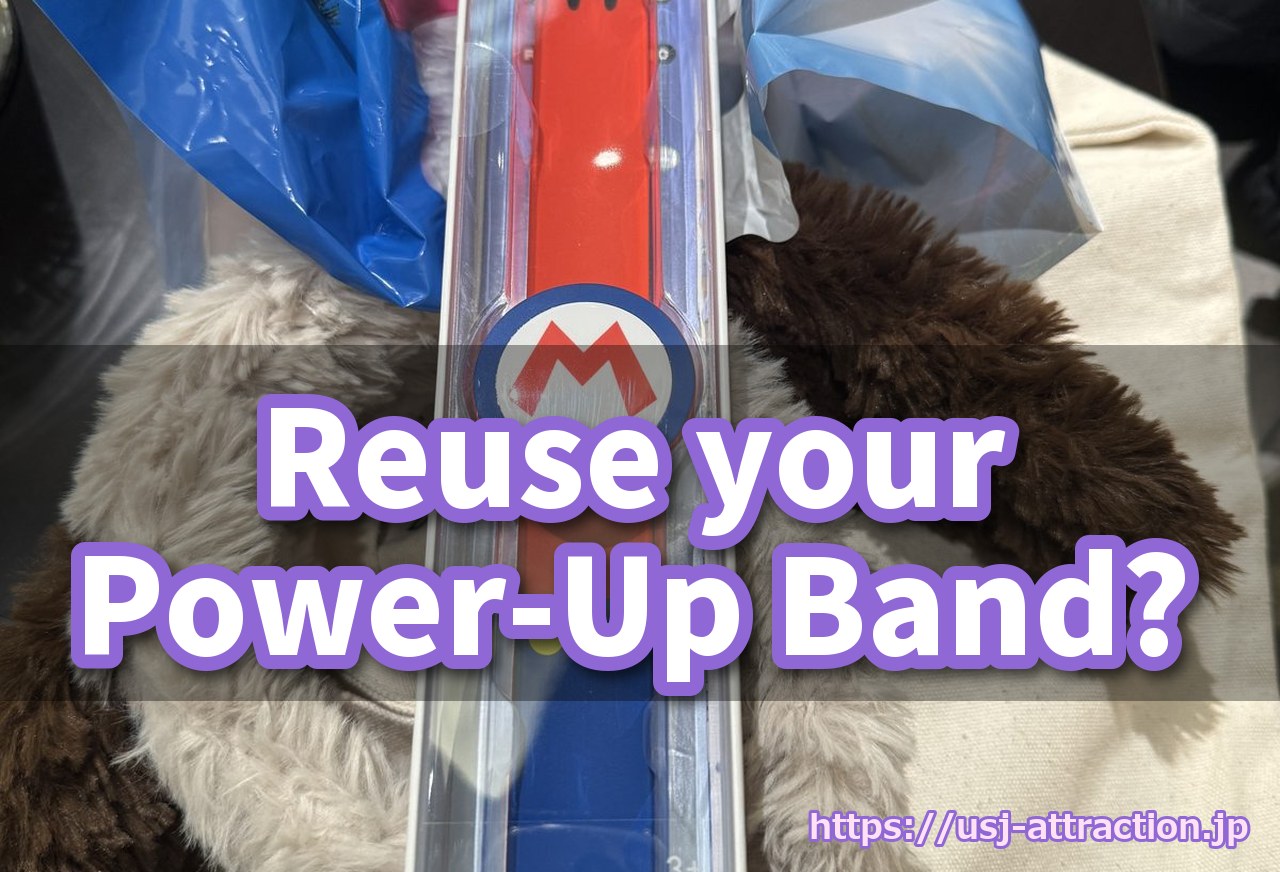
Planning a visit to Super Nintendo World at Universal Studios Japan (USJ)? Two questions often come up when families start looking at Power-Up Bands.
“Buying one for everyone adds up. Could we borrow a friend’s band and take turns?”
“If I buy a used band online, can I clear the last player’s progress and start from scratch?”
If you’ve been looking for answers on your phone, you’re in good company.
A band is a significant purchase, especially if you need several. It makes sense to find out what you’re getting before you spend the money.
Advice on social media varies, but USJ has rules for how the bands track progress and link to the app.
That matters if you borrow a band or buy one secondhand. You could arrive at the park, have trouble registering it or see someone else’s name on the screen.
Here’s how sharing works, what you can unlink in the app and what happens to the previous player’s progress.
In this guide
- Can family and friends share a Power-Up Band?
- What unlinking a band in the official Universal Studios Japan app does to your progress
- How to remove a band from the app, step by step
- What to check before buying a used band or borrowing one from a friend
- How to register a band on another phone and troubleshoot errors
Knowing what carries over makes it easier to decide whether a borrowed band will work for you.
Let’s start with what happens when you hand it to someone else.
Can family and friends share a Power-Up Band?

If you’re weighing how many bands to buy, you may be wondering whether everyone needs their own.
Can an older brother hand his band to his little brother? Can you take a friend’s band along on your own visit?
Yes, someone else can wear and use the same Power-Up Band.
The band doesn’t check fingerprints or verify who’s wearing it. Whoever hits a ? Block while wearing it will hear the coin sound.
The catch is that a borrowed band already has a play history.
Each Power-Up Band keeps track of what players have done with it.
Hand it to someone else and the previous player’s progress carries over, including coins collected and missions completed.
If collecting every coin yourself is part of the fun, it helps to know what linking the band to your phone actually does.
Linking a Power-Up Band to the app: one account at a time
Before you borrow a band, find out whose phone it’s linked to.
You can hit blocks and hear the sound with the band alone. Link it to the app and you can also see how many coins you’ve earned and which digital stamps you’ve collected.
Here’s the rule: each Power-Up Band can be registered to only one app account on one phone at a time.
Say a friend lends you a band that’s still registered on their phone. If you try to register it on yours, you’ll get an error.
Two phones can’t display the same band’s data at the same time.
Before you borrow a band to use with your phone, ask your friend to unregister the band in their app.
If your friend skips this step before you head to the park, you won’t be able to link the band to your app or see how many coins you’ve collected as you play.
Take care of this before you head to the park.
Can you reset your progress by unlinking the band?
When people look up how to reset a Power-Up Band, they often want to start with zero coins.
Here’s what happens when you remove the band from the app.
You can unregister it, but USJ doesn’t list a way to reset your play history and start over with zero coins, stamps and keys.
That matters if someone else has already played with the band.
Even after you unlink it and register it on a different phone, the new phone will show the previous player’s coin total and progress.
When buying secondhand, assume the previous owner’s progress will still be there when you open the app.
Think about whether you’re happy to continue someone else’s game before buying a used band.
If you want a record of your own from your very first coin, I recommend buying a new band at the park or an official store.
What does sharing a band mean for a family?
What if everyone using the band is visiting together?
For example, an older brother might wear it in the morning and his younger brother might take over after lunch.
Here’s what that means for your budget and your time in the park.
The main advantage is that a family can save money by buying one band.
Buying one for every child can get expensive. USJ’s official merchandise information has the current price.
Sharing one band frees up money for other things you’d like to do together.
There are also drawbacks to taking turns.
- One player at a time.
Siblings can’t use a single band to hit blocks side by side or compete for scores at the same time. - One shared record.
It’s hard to tell who earned which stamp, and that can lead to arguments. - More time in line.
Only the person wearing the band can play the Key Challenges, the minigames that lead up to the battle with Bowser Jr.
Once the first player finishes, the next player has to join the back of the line. That can take a sizable part of your day.
To give everyone time to play, I recommend one band for each person who wants to take part.
- Sharing a band at a glance
- You can lend someone your band, but its progress won’t reset to zero.
- Before you borrow a friend’s band, have them unregister it in their app.
- I’d avoid sharing a band between siblings. Taking turns means more time in line, and sharing a record can lead to arguments.
How to unlink a Power-Up Band and what happens to your data

You can’t completely reset a band’s play history. If you borrow a friend’s band or switch phones, you’ll need to unregister the band in the app on the phone it’s currently linked to.
Unregistering the band is what people often mean when they ask how to “reset” or unlink it.
The steps are short, though the right button can be hard to find if you’re new to the app.
It’s harder to sort this out once you’re at the park, where a busy network can make the app slow to open.
Give yourself time to unlink or register the band somewhere quiet before you enter the area.
Here’s where to go in the app and what to expect once you’ve removed the band.
How to unregister a Power-Up Band in the official app
Start on the phone the band is currently registered to.
If you’re borrowing it, ask your friend to follow these steps on their phone.
- Open the app.
On the phone linked to the band, open the official Universal Studios Japan app. - Open the Super Nintendo World page. On the app’s home screen, tap Super Nintendo World. Look for an icon such as Mario.
- Open the band management screen.
Tap your player status, shown as your coin total or character icon, to manage your bands. - Choose the option to unregister.
In the settings, choose the band you want to remove and follow the prompts to unregister it. - Confirm your choice.
When the app asks if you’re sure, tap “Yes” or “Unregister” to finish.
The whole process takes just a few minutes.
- Unregistering your band at a glance
- Open the Super Nintendo World page in the official app.
- On the band management screen, select the band you want to remove and choose the option to unregister it.
- Do this before reaching the park, either on the way or at your hotel, wherever you have a steady connection.
What disappears from the phone and what stays with the band?
Once you unregister a band, what actually disappears?
It helps to know what you and the next player will each see.
What disappears when you unregister
- Your view of the band’s progress.
That phone will no longer show the band’s coin total or stamp history. - The link to your player name.
The player name you set in the app is unlinked from the band.
What stays with the band
- Play history. USJ doesn’t list a way to clear the record of coins, stamps and Key Challenge keys you’ve collected.
Unregistering a band simply disconnects it from the phone you were using.
The record you’ve built up stays with the band.

Wait, I’ll still see the last player’s coins on my phone?
As soon as you register the band on a different phone, its play history shows up again.
So if you’re expecting a fresh start because your friend removed the band from their phone, it can be a letdown to open the app and see their progress.
How to register the band on another phone and fix common errors
Once the band is unlinked, you can register it on the borrower’s phone or on your own replacement phone.
The process is the same as for a brand-new band.
Open the official Universal Studios Japan app on the new phone. Choose the option to register a Power-Up Band, then scan the QR code on the back of the band with the camera.
Enter a new player name to finish. The band’s existing progress will appear under that name.
If the camera can’t read the QR code or the app says the band is already registered, here’s what to check.
- The band is still linked to the old phone.
This is the most common problem. If the owner forgot to unregister the band or a connection error interrupted the process, the new phone can’t register it.
Ask the owner to check their app again and make sure the band has been removed. - The QR code is dirty or hard to scan.
On a well-used band, the code on the back can be worn or dirty.
Wipe it gently with a soft cloth. Try again in bright shade and give the camera time to focus.
Once registration is complete, you’re ready to head to the park.
- Registering on a new phone at a glance
- Scan the QR code in the app just as you would for a new band.
- If registration fails, ask the previous owner to confirm they removed the band in their app.
- Check the code for dirt and try again somewhere well lit, away from glare.
Three risks of buying a used Power-Up Band
Search for Power-Up Bands on resale apps and auction sites and you’ll find plenty listed for a little less than retail.
Before you buy, consider three things that can affect how you play.
If you buy a used band without knowing about these risks, you could be in for a bigger disappointment than you expect when you get to the park.
1. You miss out on starting your own adventure from zero
A band keeps its coins, stamps and keys, and USJ doesn’t list a way to clear that history.
For me, that’s the biggest drawback of buying secondhand.
Think of it as picking up someone else’s saved game. They may be halfway through or have already finished everything.
Imagine stepping into Mario’s world for the first time and reaching up to hit your first ? Block.
You might expect to see your very first coin appear in the app. It can be disappointing if there’s already someone else’s total on the screen.
Part of the fun of Super Nintendo World is exploring on foot, hitting the blocks yourself and seeing your progress build from zero.
With a used band, you miss out on that first-coin moment even though it’s your first visit.
“I want to collect every key myself and take on Bowser Jr.!” If that’s the experience you want, a new band is the way to go.
2. A worn or scratched QR code can prevent registration
Before you buy, check for wear on the band itself, particularly on the back.
To link the band to the official app, you scan the QR code printed on the back with your phone’s camera.
The code sits against your wrist, where sweat and friction can wear away the print.
Even if the listing says “only worn a few times,” part of the QR code may already be too faint to scan.
If you buy a used band with an unreadable code, you won’t be able to link it to the app.
The band will still make a sound when you hit a block, but you won’t be able to check your score or take part in the rankings.
If you can’t check the band’s condition, buying it is a gamble you may regret once you reach the park.
3. The previous player’s name may still appear
When you register the band again, the app prompts you to enter a player name.
Some players report that the previous owner’s name lingers or shows up in the rankings instead of the new name. This may be due to a glitch or the way the band was registered in the past.
It’s frustrating to earn coins yourself and then see someone else’s name next to your score.
If you’re making a long trip to USJ, that’s one annoyance worth avoiding.

I’d rather start with my own first coin!
- Buying secondhand at a glance
- You can’t reset the play history, so you miss out on building your record from zero.
- If the QR code on the back has worn away, you won’t be able to register the band in your app.
Borrowing a friend’s band: what to agree on first
If a friend has just visited USJ, you might prefer to borrow their band.
You can inspect the QR code in person, so there’s less guesswork than when buying secondhand.
A little preparation can save you trouble at the park and spare you both an awkward conversation later.
Have your friend unregister the band while you’re together
One easy step to forget at handover is removing the band from your friend’s app on their phone.
A band can only be linked to one app account at a time.
If your friend hands it over while it’s still registered, you may have trouble adding it in your own app. Ask them to unregister it first.
Imagine getting to the park gates and having to text your friend to unlink the band. If they’re at work or in class, they may not see the message.
You could end up playing all day without the app connection.
When you meet to pick up the band, ask your friend to open the app and confirm that they’ve removed it before you take it home.
Checking together is courteous and saves you both a last-minute scramble.
Agree on what to do if the band gets lost or damaged
A Power-Up Band wraps around your wrist like a slap bracelet, with a spring strip inside.
It usually stays put on an adult’s wrist, but bands often slip off and get lost when kids run around or go on rides.
Your friend’s band carries the stamps and coins they’ve collected. Talk about what you’ll do if it gets lost or broken.
You could offer to buy a replacement, but a new band won’t bring back that progress.
If a friend has spent tens of thousands of yen on visits to USJ to build up that record, I’d feel better buying a new band of my own than risking theirs.

Maybe I’ll skip borrowing one from a friend.
- Before you borrow a band
- When your friend hands you the band, have them unregister it in their app while you’re together.
- If registration fails at the park, you may have to wait until you can reach your friend for help.
- If the band is lost or damaged, your friend could lose the progress they’ve built up.
Once you have your band, check how to get an Area Timed Entry Ticket for Super Nintendo World.
Power-Up Band sharing and reset questions
Sharing a band can raise some surprisingly specific questions.
Here are the ones readers ask most often.
I returned a friend’s band and forgot to unlink it. What should I do?
A. You can unregister it remotely using the app on your phone.
You don’t need the band with you. Open the Super Nintendo World band settings in the official Universal Studios Japan app, select your friend’s band and confirm that you want to unregister it.
Let your friend know as soon as you’ve done this so they can register it on their own phone again.
The QR code has worn away. Can I register the band again?
A. If the QR code is completely unreadable, you can’t register the band on a new phone.
The app uses your camera to scan the QR code. Keep the print clean and protect it from rubbing against your wrist.
You can keep using a phone the band is already registered to. The problem comes when you switch phones and need to scan it again. A piece of clear tape over the code can help protect the print.
Can siblings swap their two bands partway through the day?
A. Yes. Each band will keep adding to its own record, whoever wears it.
Say an older brother lends his Mario band to his younger brother and takes the Luigi band in exchange. Every coin the younger brother earns with the Mario band will appear in the older brother’s record.
If the kids want to know who collected which coins, the simplest way to keep the peace is for each to wear their own band all day.
When do the coins and keys reset? Does progress expire?
A. Progress doesn’t reset or expire.
The band keeps a record of your coins, digital stamps and Key Challenge keys. They don’t disappear at the start of a new year or after six months without playing.
Bring the same band back to USJ even a few years later and you can pick up where you left off.
- Quick answers
- You can unlink the band in your app even after you’ve handed it back.
- Protect the QR code. If it wears away, you can’t register the band on a new phone.
- Progress has no expiration date, so you can carry it over to your next visit.
Should you borrow, share or buy your own band?
If you’re choosing a band for your 2026 visit, consider how you’ll use it and whose progress you’d like to see in the app.
A borrowed band lets you play. A new band lets you earn your first coin on a record of your own.
What to remember
- Sharing a band and starting over. You can lend someone your band. Unlinking it leaves the coins and stamps in place.
- Linking another phone. The previous owner needs to unregister the band in their app before you register it on yours.
- Buying secondhand. I’d avoid a used band if you want to start from zero. A worn QR code can also prevent registration.
- Sharing in a family. Taking turns in the Key Challenge lines takes time. I recommend a new band for each person who wants to play.
- Unlinking and keeping progress. You can remove a band from the app without having it with you. The band’s record has no expiration date, so you can revisit those memories.
In Super Nintendo World you get to play as Mario, reaching up to hit the blocks yourself.
Sort out your band before you go and you can spend your park time playing.
Staying near the park makes it easier to line up before opening and try the ? Blocks while Super Nintendo World is still quiet in the morning.
I hope your day at USJ is full of the kind of adventures Mario and Luigi would love!
About this guide
This guide to Power-Up Band registration and app features draws on USJ’s official information and my own experience and research as of 2026.
Updates can change the app screens and linking rules without notice. Check the latest guidance in the official app or on USJ’s website before your visit.
The park doesn’t troubleshoot registration errors or recover data if something goes wrong with a band you bought secondhand, borrowed from a friend or lent to one. If you decide to buy used or share a band, you do so at your own risk.









Comments